
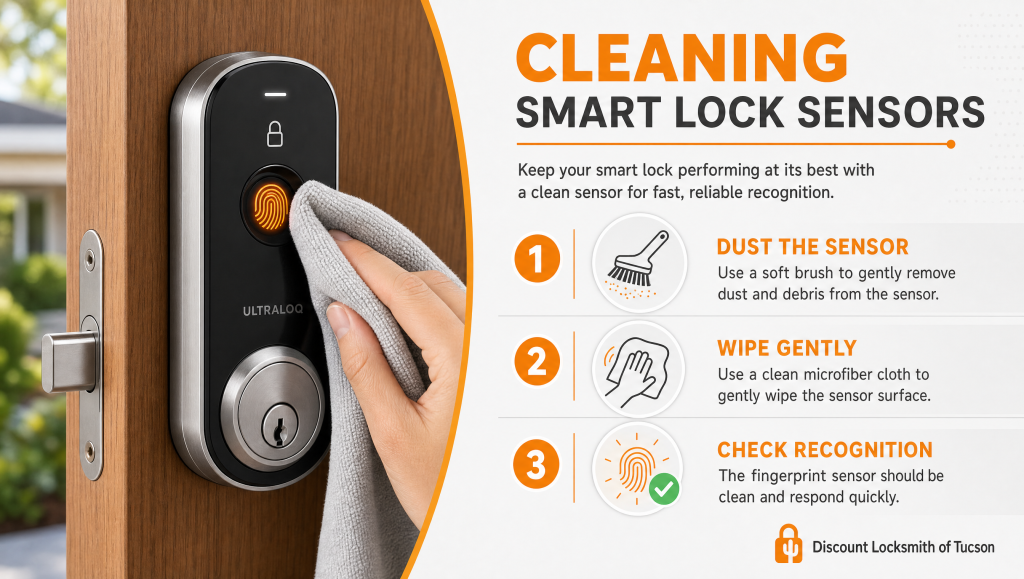
Cleaning smart lock sensors clears away the oil, dust, and mineral film that block a clean read, so the reader maps your print on the first touch instead of the third. A fingerprint smart lock that suddenly refuses a finger it used to know is almost always a surface issue, not a broken device.
You press your thumb against the reader, the indicator blinks, and the door stays shut. You wipe your finger, try again, and the bolt finally pulls back on the third attempt. We hear this from Tucson homeowners more than any other smart-lock complaint, and it rarely means the hardware has failed. Usually a thin layer of skin oil, desert dust, sunscreen, or hard-water residue has settled across the sensor and is scrambling the scan. The good news is that this is upkeep you can handle yourself with a few household items. Keep reading and we will walk you through exactly how our technicians clean biometric readers, the supplies that protect the surface, and the habits that keep recognition sharp.
Why Biometric Readers Start Rejecting Clean Fingers
A biometric reader does one job: it maps the unique ridges of your fingerprint and compares them against the prints stored during setup. Most residential models on the doors we service in Tucson use a capacitive sensor, which detects the small electrical differences between the ridges and valleys of your skin. Older or budget units may use an optical reader, which photographs the print instead. Both designs need direct, unobstructed contact with your finger.
When body oil, lotion, grit, or the mineral film left behind by Tucson’s hard water coats the surface, the sensor reads a blurred pattern and turns the match away. Fine desert dust is the worst offender — it behaves like a smudge on a camera lens, and it works its way into the reader every time the wind kicks up. If you recently moved up to a fingerprint deadbolt through our high-security smart lock installation, this build-up is the first thing to rule out before you assume the unit is defective. A clean reader is one quiet layer of your overall deadbolt security, and keeping it clear is a small but real part of everyday home safety.
| Sensor Type | How It Reads Your Print | Most Common Build-Up | Cleaning Approach |
|---|---|---|---|
| Capacitive | Senses electrical charge across skin ridges | Skin oil, lotion, hard-water film | Lightly damp microfiber, no pooling liquid |
| Optical | Photographs the fingerprint image | Dust, smudges, fingerprints on glass | Dry microfiber first, then a barely damp pass |
| Thermal / swipe (older) | Reads heat as the finger slides | Lint and debris in the channel | Soft dry brush along the channel |
| Keypad + reader combo | Pairs a code pad with the sensor | Grime on both the pad and the reader | Wipe the pad and the sensor separately |
Offices that rely on fingerprint entry should fold the same wipe-down into their commercial lock maintenance routine, since shared readers collect far more residue than a single household door.
What You Need Before Cleaning Smart Lock Sensors
Gathering the right materials protects the sensor coating. Reach for a lint-free microfiber cloth, distilled water, a small amount of 70% isopropyl alcohol, and a soft dry brush such as a clean lens or makeup brush. Set aside paper towels, ammonia glass cleaner, abrasive sponges, and canned air aimed straight into the seams — each of these can scratch the coating or push moisture where it does not belong. If your lock pairs a keypad with the reader, the same kit handles both surfaces. Homeowners who also maintain a keypad on the garage entry or a keyless entry system can use the identical supplies on those pads.
Supplies to Skip
Ammonia strips the protective layer on optical glass and clouds it over the long haul. Abrasive pads leave micro-scratches that trap even more grime. Soaking the reader risks seeping moisture into the electronics behind the deadbolt and door hardware, which is a far larger repair than a smudged sensor.
How to Clean Biometric Sensors Step by Step
Work gently and let each pass do the job. The goal of cleaning smart lock sensors is a spotless contact surface, not a soaked one.
Step 1 — Disarm the reader
Put the lock into setup or cleaning mode if your model offers it, or pop the cover so you do not trigger a false lockout while you work. Your interior thumbturn lock still lets you open the door by hand throughout. If the unit ever stops responding during maintenance, our smart lock reset service can restore it.
Step 2 — Dust before you wipe
Sweep the soft dry brush across the sensor and the surrounding seams to lift loose desert grit. Dusting first keeps you from grinding particles across the surface once you add moisture.
Step 3 — Wipe with a barely damp cloth
Dampen one corner of the microfiber with distilled water or a touch of isopropyl alcohol — never spray liquid directly onto the lock. Wipe the sensor in one direction with light pressure, then buff it dry with a clean section of the cloth.
Step 4 — Test and re-enroll if needed
Power the reader back on and test your stored print. If recognition is still spotty, delete that fingerprint and enroll it again so the lock captures a fresh, clean map. Re-enrollment after a deep cleaning solves the majority of stubborn cases we see, and it pairs well with a broader lock upgrade and maintenance check.
Pro Tip From the Field
After years of installing and servicing locks across Tucson, here is the habit our technicians swear by: enroll your most-used finger twice, at two slightly different angles. Desert living dries and cracks skin, and a callus or a dry ridge can read differently from one press to the next. A second stored profile of the same finger gives the sensor a backup pattern to match against, which cuts rejected reads dramatically — especially for landscapers, mechanics, and anyone whose hands take a beating. Pair that with a light wipe whenever you clean the door hardware, and most homeowners stop thinking about the reader at all. You can read more about our background, training, and credentials on our about us page.
Frequently Asked Questions — Cleaning Smart Lock Sensors
How often should I clean my smart lock’s fingerprint sensor?
Can I use rubbing alcohol on a biometric reader?
Why does my lock reject my finger right after I wash my hands?
Does Tucson’s hard water really affect a fingerprint lock?
Should I re-enroll my fingerprint after a deep cleaning?
What if cleaning doesn’t fix the recognition problem?
When Cleaning Isn’t Enough — Talk to a Tucson Locksmith
If a careful cleaning and a fresh enrollment do not bring recognition back, the trouble has likely moved past the surface. A worn sensor, corroded battery contacts, loose wiring behind the security door lock, or out-of-date firmware can all mimic a dirty reader. That is the point to bring in a professional locksmith rather than keep prying at the unit. Our team handles electronic access control and full high-security lock diagnostics, and we can tell you in a single visit whether the reader needs a repair or a replacement. We also keep your backup entry covered with rekeying and lockout help, key duplication, and replacement house keys so a finicky sensor never leaves you stranded at the door.
For a hands-on look at your fingerprint lock, book a security audit with Discount Locksmith of Tucson or find us on our Google Business listing. Call our Tucson team and let our trained technicians get your reader recognizing you on the first touch again. When you are ready to harden the rest of the door, explore our safe and high-value lock installation options too. To understand the technology behind your reader, the NIST biometrics program and Schlage’s smart lock resources are solid places to dig deeper.