Smart lock cybersecurity has become part of everyday home defense, because a connected deadbolt is both a physical barrier and a small computer sitting on your home network. The encouraging truth for Tucson homeowners is simple: most intrusions still exploit weak hardware and exposed Wi-Fi settings, not unbreakable encryption. A layered setup closes those gaps.
Many homeowners mount a connected lock, trust the app to handle every threat, then feel uneasy after reading about a hacked front door. The real weak points are usually default passwords, open router settings, and a missing mechanical backup. The fix is a layered plan that pairs hardened hardware with sound network habits and a clean professional install. Read on to see how attackers actually operate and how our Tucson locksmith team keeps connected homes protected.
Can My Lock Be Hacked? The Truth About Smart Lock Cybersecurity
A motivated attacker can probe almost any connected device, yet practical risk depends entirely on configuration. Picture your smart lock as having two doors: the metal one on your frame and the digital one on your network. Criminals take the easier path, which is rarely the lock’s cipher. They look for an exposed router, a recycled password, or hardware that was never seated correctly during professional smart lock installation. The comparison below shows common lock setups by their digital exposure and physical strength, so you can see where the genuine vulnerabilities live.
| Lock Setup | Digital Attack Surface | Physical Strength | Best Suited For |
|---|---|---|---|
| Traditional keyed deadbolt | None (fully offline) | High with a Grade 1 bolt | A low-tech backup layer |
| Bluetooth smart lock | Low to moderate (local range only) | Depends on the bolt grade | A single door without a hub |
| Wi-Fi smart lock | Moderate (remote internet exposure) | Depends on the bolt grade | Remote-access households |
| Z-Wave / Zigbee + hub | Low (encrypted local mesh) | Depends on the bolt grade | Whole-home connected systems |
| Keypad-only electronic | Low (no companion app) | Moderate | Code-based shared entry |
| Hybrid smart deadbolt + key | Matches its connection type | High (mechanical override) | Layered security seekers |
How Attackers Reach a Connected Door
Most attacks fall into a few buckets. Signal interception captures Bluetooth or Wi-Fi traffic between the app and the lock. Replay attacks re-send a captured “unlock” command. Credential stuffing reuses leaked email and password pairs against your account. Firmware exploits target locks that were never patched. Each method assumes you skipped a basic safeguard, which is exactly why setup matters more than brand name. If a lock ever stops responding or behaves strangely, an emergency smart lock reset restores known-good firmware and clears suspect pairings.
How Hackers Target Your Smart Home Network
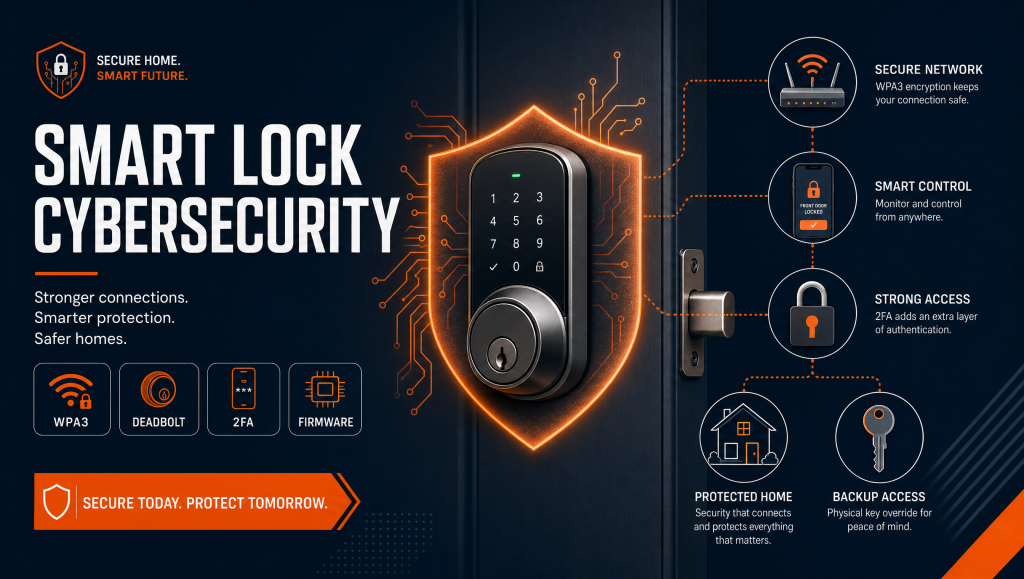
Your lock is only as protected as the network behind it. A router still using its factory admin login is an open invitation, and a flat network lets a compromised smart TV or camera reach your lock. Start by encrypting your Wi-Fi with WPA3 and replacing default credentials, following the FTC’s guidance on securing your home Wi-Fi network. Place locks and cameras on a separate guest or IoT network, and work through the FTC checklist for securing internet-connected devices. For businesses, the same logic scales up through managed keyless entry systems and access control hardware that keep digital credentials off the public internet.
Deadbolt Security and the Thumbturn Lock: Why Mechanical Backup Still Matters
No software setting stops a kicked-in door, which is why deadbolt security stays the backbone of any connected entry. A smart deadbolt that loses power, drops its signal, or faces a digital attack should still hold on solid mechanical hardware. Look for an ANSI Grade 1 bolt, a reinforced strike plate, and a thumbturn lock that operates cleanly by hand from the inside. We routinely pair smart units with hardened deadbolt installation and security door locks so a digital failure never becomes an open door. If you are comparing models, our guide to the best smart locks of 2026 and the benefits of high-security deadbolts breaks down the hardware worth trusting.
Building Real Home Safety with Layered Protection
Strong home safety comes from stacking defenses so that no single failure exposes the whole house. Turn on two-factor authentication for the lock app, give every account a unique passphrase, and keep firmware current. Disable remote-management features you do not use, and audit who still holds digital keys after guests, contractors, or tenants move on. Mechanical upkeep matters as well: a lock upgrade and maintenance visit, periodic rekeying, and a hardened garage keypad all remove easy entry routes. A whole-home plan from a residential locksmith ties the digital and physical layers together, and a broader door security upgrade protects every opening, not only the front.
Pro Tip From the Field
In our hands-on work across Tucson homes, the weakest link is almost never the lock itself. It is a router still running the password printed on its sticker, or a smart lock screwed into a soft, hollow jamb that a shoulder can defeat. Before our certified technicians touch the app, we reinforce the door frame and confirm the bolt throws fully into the strike. Harden the frame, isolate the network, then trust the electronics. That order has prevented more break-ins than any single premium gadget.
Frequently Asked Questions — Smart Lock Cybersecurity
Can my smart lock really be hacked?
Are smart locks safer than traditional deadbolts?
What is the most common smart lock security mistake?
Does a smart lock work if the Wi-Fi or power goes out?
How do I keep my smart lock firmware secure?
Should a professional locksmith install my smart lock?
Securing Your Connected Tucson Home the Smart Way
A connected lock is a real upgrade when the door, the network, and the hardware are treated as one system. The homeowners who stay protected are the ones who harden the frame, lock down the router, and lean on high-security locks backed by expert hands. Our certified technicians audit both layers and install hardware that holds up physically and digitally. To plan a security audit or a professional installation, reach out to our team, explore our full locksmith services, or call (520) 994-8773. You can also find us and read reviews on our Google Business listing — stop by, and let Discount Locksmith of Tucson make your smart home genuinely hard to crack.